

Bulk Import
If you’re already managing domains in a registrar account, there’s no need to add them one at a time. Expirity can import directly from Namecheap, GoDaddy, and Route 53, or from a CSV file for anything else - available on Pro and Agency.
Starting an import
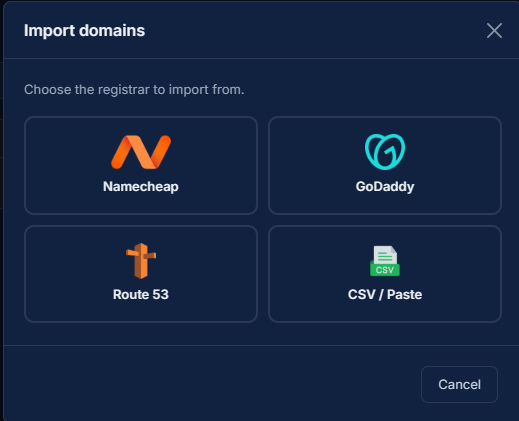
Section titled “Starting an import”From Domains, click Import domains to open the import wizard. Pick a source, and the steps that follow depend on which one:
Namecheap, GoDaddy, or Route 53
Section titled “Namecheap, GoDaddy, or Route 53”Enter your API credentials for the registrar (Namecheap: username + API key; GoDaddy: API key + secret; Route 53: AWS access key + secret). Expirity fetches your domain list, shows which ones are already in your account, and lets you select which to import.
Credentials are used once, for this import only, and are never stored. They’re held in memory for the duration of the request and discarded immediately after - Expirity doesn’t retain registrar credentials at rest.
CSV import
Section titled “CSV import”Paste or drop a CSV/text file with one domain per line. On Agency, you can include a second column with a client name per row - Expirity resolves it against your existing client folders and creates a new client automatically if the name doesn’t match one yet.
example.com, Acme Corpanother-example.com, Acme Corpclient-site.io, Beta LLCReviewing before import
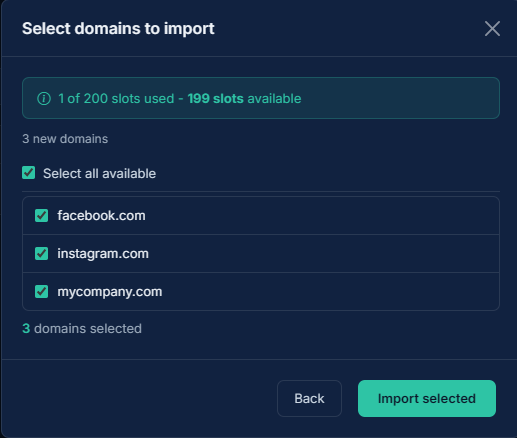
Section titled “Reviewing before import”Every import path shows a selection screen before anything is added - domains already in your account are flagged and excluded automatically, and you can deselect anything else you don’t want imported. Nothing is added until you confirm.
Domain limits during import
Section titled “Domain limits during import”If your selection would exceed your plan’s domain limit, Expirity imports as many as fit and reports how many were skipped due to capacity - it won’t import a partial batch silently. See Domain Limits & Domain Packs if you need more room.
After import
Section titled “After import”Each imported domain is checked immediately in the background, the same as adding a domain manually - expiry, registrar, nameserver, and SSL data populate within seconds.