

Managing Your Subscription
Everything related to your subscription - current plan, billing interval, domain packs, payment method, and invoices - lives on the Billing page in the console.
Viewing your plan
Section titled “Viewing your plan”Billing shows your current tier, billing interval (monthly or annual), and how many domain packs you have active, alongside your current domain usage against your limit.
Changing domain pack quantity
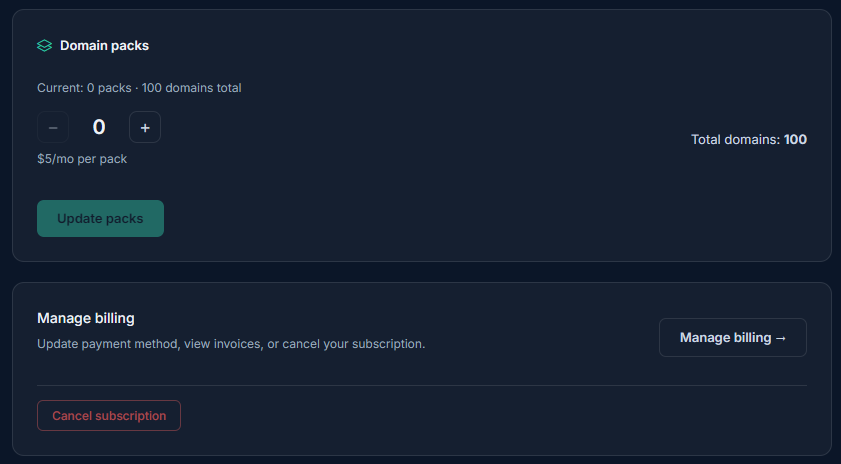
Section titled “Changing domain pack quantity”Domain packs can be added or removed at any time from Billing, independent of changing your base plan. Pack changes are billed on the same interval as your base plan - see Domain Limits & Domain Packs for how packs affect your capacity.
Payment method and invoices
Section titled “Payment method and invoices”Billing is handled through Paddle, Expirity’s payment provider. Click Manage billing to open the Paddle customer portal, where you can update your payment method and view past invoices - this happens outside the Expirity console itself, on Paddle’s secure portal.
Subscription status
Section titled “Subscription status”If a payment fails, your subscription is marked past due and you’ll be notified - your plan and domain access remain unchanged while Paddle retries the payment, giving you a window to update your payment method before anything is affected.