

Discord Integration
Send Expirity alerts directly into a Discord channel - a common fit for smaller teams and dev shops that coordinate in Discord rather than Slack. Available on Pro and Agency.
Setting up
Section titled “Setting up”- In Discord, create a webhook for the channel you want alerts posted to (Channel Settings → Integrations → Webhooks → New Webhook).
- Copy the webhook URL.
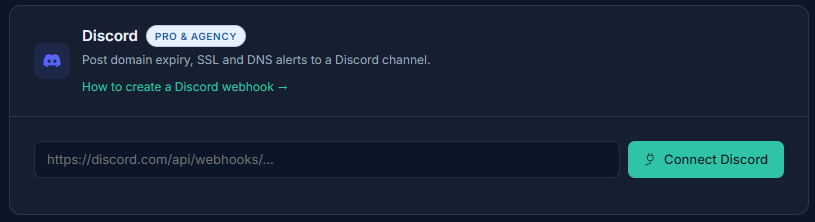
- In Expirity, go to Integrations and paste the URL into the Discord card.
- Click Connect - Expirity sends a test message to confirm the webhook works before saving it.
What gets sent
Section titled “What gets sent”Discord alerts cover the same event types as email and Slack - expiry, SSL, registrar, nameserver, and DNS-related changes - delivered as a formatted embed so the domain, event, and detail are easy to read at a glance in a busy channel.
Testing the connection
Section titled “Testing the connection”Use Send test alert from the Integrations page any time to confirm the webhook is still active.
Disconnecting
Section titled “Disconnecting”Click Disconnect on the Discord card to remove the webhook. Email alerts are unaffected.