

Per-Client Alert Routing
When a domain is assigned to a client folder, Expirity can send that domain’s alerts directly to the client’s email address instead of your own - so a client managing their own renewal, or wanting visibility into their own domain health, doesn’t need you to forward every notification manually.
How routing works
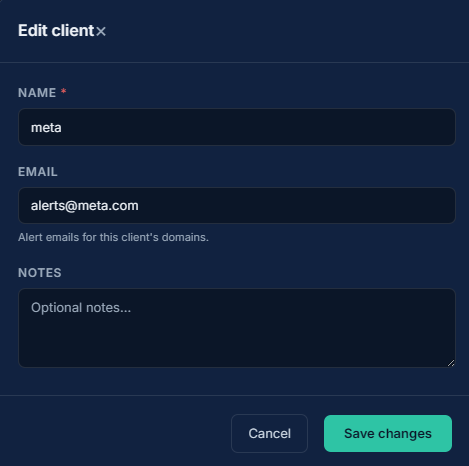
Section titled “How routing works”Each client can have an email address set on their client profile. When a domain assigned to that client triggers an alert - expiry, SSL, registrar, or nameserver change - the alert is sent to the client’s email instead of the account owner’s.
Domains in the Account bucket, or assigned to a client without an email address set, continue sending alerts to the account owner as usual.
What’s controlled where
Section titled “What’s controlled where”Alert thresholds (how many days before expiry, which events are enabled) and integration channels (Slack, Discord, WhatsApp) are set once at the account level and apply the same way across every client’s domains. Per-client routing determines where the email goes - the client’s inbox instead of yours - using the same thresholds and rules you’ve already configured.
Setting a client’s alert email
Section titled “Setting a client’s alert email”Add or update the email address on a client’s profile from the Clients page. Leaving it blank keeps alerts for that client’s domains going to your own inbox.