

WhatsApp Alerts (BeepMate)
For alerts that need to reach someone outside Slack, Discord, or even email - on their phone, immediately - Expirity supports WhatsApp delivery via BeepMate. Available on Pro and Agency.
Setting up
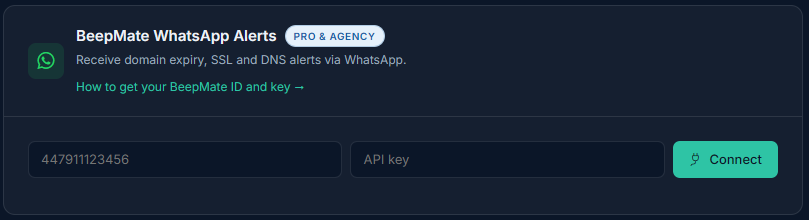
Section titled “Setting up”You’ll need a BeepMate account with an ID and API key. In Expirity, go to Integrations, enter your BeepMate ID and API key in the WhatsApp card, and click Connect - Expirity sends a test message to confirm delivery before saving the connection.
What gets sent
Section titled “What gets sent”WhatsApp alerts cover the same event types as email - expiry, SSL, registrar, nameserver, and (if enabled) DNS-related changes - delivered as a plain-text message, since WhatsApp doesn’t support the rich formatting Slack and Discord do.
Testing the connection
Section titled “Testing the connection”Use Send test alert from the Integrations page at any time to confirm your BeepMate credentials are still valid.
Disconnecting
Section titled “Disconnecting”Click Disconnect on the WhatsApp card to remove your BeepMate credentials from Expirity. Email alerts continue unaffected.